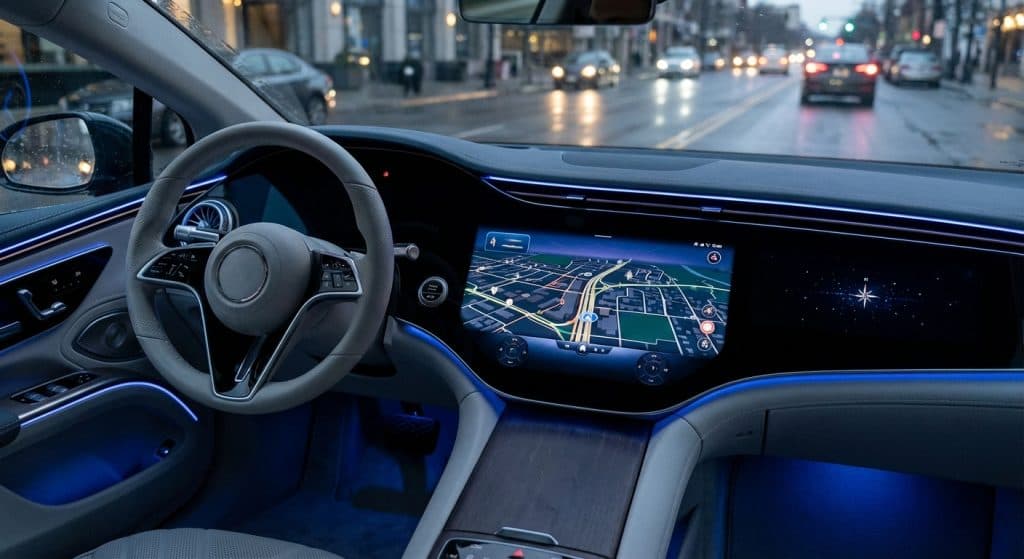
Shopping for a car these days means evaluating a lot more than the engine and the seats. The infotainment system is now one of the first things buyers notice, and a bad one can make an otherwise great car genuinely frustrating to live with every day.
Whether you’re trying to figure out what your current setup actually does or you’re comparing options on a used car lot, this guide walks you through everything you need to know about automotive infotainment system technology, from the basics to what’s coming next.
What Are Automotive Infotainment Systems?
The word “infotainment” is a mashup of “information” and “entertainment,” and that pretty much sums it up. An infotainment system is the central hub in your car that handles audio, navigation, phone calls, media, and vehicle settings, all from one screen or control interface mounted in the dashboard.
Early versions were basically glorified CD players with a small screen. Today, a modern automotive infotainment system runs on its own operating system, connects to your smartphone, processes voice commands, and can display live traffic data, streaming services, and real-time vehicle diagnostics all at once.
Think of it as the brain of your car’s cabin. Everything you interact with on the inside, except the steering wheel and pedals, typically runs through it.
What Is My Car’s Infotainment System?
Most manufacturers brand their systems differently. BMW calls theirs iDrive, Ford uses SYNC, GM vehicles run Chevy Infotainment or GMC Infotainment, Toyota has Entune, and Volkswagen uses MIB (Modular Infotainment Toolkit). If you bought a used car and you’re not sure what you’re working with, check the dashboard screen for a logo or settings menu that names the system, or look up the model year on the manufacturer’s website.
You can also run a free VIN lookup on your vehicle to pull up the trim level and factory-installed options, which will tell you exactly what infotainment features came standard on your specific car.
Older systems from 2014 to 2018 often have smaller screens, slower processors, and limited connectivity. Anything from 2019 onward typically supports Apple CarPlay and Android Auto, which makes a huge difference in day-to-day usability.
Benefits of a Modern Car Infotainment System
A well-designed infotainment system does more than play music. It genuinely changes how you drive, communicate, and stay safe on the road.
Hands-free calling and messaging mean you can keep your eyes on the road while staying connected. Voice recognition lets you change the song, get directions, or send a text without touching a screen. Good navigation with live traffic updates can save you real time on your commute.
From a safety angle, Consumer Reports has pointed out that nearly every automaker’s infotainment system looks and operates differently, and the more intuitive the design, the less distracted the driver. A system that requires you to dig through five menus to adjust the temperature is genuinely more dangerous than one where the controls are obvious and quick.
There’s also a resale value angle. Cars with updated, functional infotainment systems tend to hold value better. Buyers notice when a screen is outdated or laggy.
Examples of Infotainment Features Found in Cars with Screens
The feature set varies a lot depending on the brand, model year, and trim level. Here’s what you’ll typically find across most modern systems:
- Touchscreen display (ranging from 7 inches to over 17 inches in some vehicles)
- Bluetooth audio streaming and hands-free calling
- Apple CarPlay and Android Auto for smartphone integration
- Built-in navigation system with real-time traffic
- Voice recognition for controlling calls, music, and settings
- Wi-Fi hotspot capability
- Rear-view camera display
- Climate control integration
- Over-the-air software updates (on newer vehicles)
Higher-end trims often add wireless Apple CarPlay and Android Auto, meaning no cable required. Some vehicles now integrate streaming apps like Spotify or Amazon Music directly into the system, independent of your phone.
The in-car experience varies widely even within the same brand. A base trim Toyota and a Platinum trim Toyota can have completely different systems. Always check what came on the specific vehicle you’re looking at, not just the model.
Infotainment vs Apple CarPlay and Android Auto
This is a question a lot of buyers get confused about. Your car has a built-in automotive infotainment system that the manufacturer designed. Apple CarPlay and Android Auto are separate software platforms made by Apple and Google that integrate with that system through your smartphone.
When you plug in your phone (or connect wirelessly on newer cars), Apple CarPlay and Android Auto essentially take over the touchscreen and show a simplified interface from your phone. Your maps, music, messages, and apps all run through your phone’s operating system instead of the car’s built-in software.
For most people, this is actually a big win. It means you’re using navigation from Google Maps or Apple Maps, which get updated constantly, instead of a factory navigation system that might require expensive map updates or becomes outdated after a few years.
Apple CarPlay and Android Auto also tend to be faster and more intuitive than many manufacturer systems. Even owners of cars with very well-rated built-in systems often default to CarPlay or Android Auto for daily use.
That said, the native infotainment system still controls things like heated seats, fan speed, vehicle settings, and parking sensors. You can’t replace the whole thing with your phone. The two systems work alongside each other.
Can I Upgrade My Car’s Infotainment System?
It depends on how old the car is and which system it runs. For many vehicles from 2016 to 2019, the manufacturer released software updates that added Apple CarPlay and Android Auto support to systems that didn’t originally have it. Ford’s SYNC 3, for example, received CarPlay and Android Auto through an over-the-air update. Check the manufacturer’s website for your specific model and year.
If your car’s system is older and can’t be updated, aftermarket head units are an option. Companies like Pioneer, Kenwood, and Sony make touchscreen head units that support full smartphone integration, Bluetooth, and built-in or app-based navigation. Prices typically range from a couple hundred dollars to over a thousand, depending on features.
The trade-off is that aftermarket installs can affect resale value and may not integrate cleanly with your car’s backup camera, steering wheel controls, or climate display. If the factory system is part of a large dashboard panel, replacement gets complicated and expensive fast.
For any used car purchase, get an independent inspection before buying, especially if the current infotainment system has issues. A malfunctioning screen or non-functional Bluetooth can be a sign of deeper electrical problems.
What Are the Top Automotive Infotainment Companies?
Most people think of infotainment as something the car brand owns, but a handful of major suppliers actually build the underlying hardware and software that manufacturers customize.
Bosch, Harman (owned by Samsung), Panasonic, and Continental are the biggest players in automotive infotainment hardware. Harman in particular powers many of the premium systems you’ll see in Mercedes-Benz, BMW, and other luxury brands.
On the software side, Google’s Android Automotive OS is worth knowing about. This is different from Android Auto. It’s a full in-car operating system built by Google and licensed to automakers like Volvo, Polestar, Renault, and General Motors. It runs natively on the car without needing your phone, and it supports Google Maps, Google Assistant, and the Play Store directly.
BMW’s iDrive system consistently earns top marks from outlets like Road and Track, largely because it combines a sharp 14.9-inch touchscreen with the option to still use a physical iDrive knob. That’s a detail that sounds minor until you’ve used a purely touch-based system while wearing winter gloves on a cold morning.
For used cars by make, the quality of the infotainment experience varies significantly across brands and model years. Researching the specific system by year before you buy can save you a lot of frustration.
The Future of Car Dashboard Screens and In-Vehicle Connectivity
The direction is clear: bigger screens, smarter assistants, and more connectivity than ever. At the 2025 Consumer Electronics Show, BMW revealed Panoramic iDrive, a head-up display that projects a 3D image across the width of the windshield, with steering-wheel-mounted haptic controls and deep voice recognition integration. It’s the kind of thing that sounds like science fiction until you see it in person.
AI-powered assistants are also becoming a serious part of in-car life. Automakers are building large language model technology directly into their infotainment systems, allowing the car to understand natural conversation rather than requiring specific commands. You won’t need to say “Navigate to 123 Main Street.” You’ll be able to say “Take me somewhere I can get tacos near here” and the car will figure it out.
Over-the-air updates are another shift that’s changing the relationship between drivers and their vehicles. Tesla normalized this, but it’s now spreading across the automotive industry. Your infotainment system can improve, add features, and fix bugs years after you buy the car, the same way your phone does.
Wireless smartphone integration is also becoming standard rather than a premium feature. The days of hunting for a USB-A cable just to get CarPlay working are fading. In-car Wi-Fi, 5G connectivity, and always-on cloud features will continue to blur the line between your car and your other devices.
Best Infotainment Systems: What to Look For When Buying
If you’re using a car loan calculator to figure out what you can afford, factor the technology package into your decision. A car with a dated, frustrating infotainment system is something you’ll deal with every single day. It’s not a minor detail.
Here’s what matters most when evaluating an automotive infotainment system on a used car:
- Does it support Apple CarPlay and Android Auto, wired or wireless?
- Is Bluetooth connectivity stable, and does it reconnect automatically?
- How responsive is the touchscreen? Lag is a real problem on older systems.
- Does the built-in navigation system have current maps, or does it need an update?
- Voice recognition, does it work reliably, or is it the kind you stop using after a week?
- How well does it integrate with your smartphone and your daily apps?
- Are software updates still available for this system?
Test the system thoroughly during a test drive. Pair your phone. Try the hands-free calling. Enter a destination in the navigation. If the dealership won’t give you enough time to do that, that’s a red flag on its own.
The car infotainment experience is personal. What works perfectly for one driver might drive another person crazy. Read owner forums for the specific make and model you’re considering, because real owners will tell you things that no review will.
You’re buying a vehicle you’ll spend real time in. The infotainment system is part of that experience every single commute, road trip, and school run. Make sure it’s one you can actually live with before you sign anything.
Was this helpful?
Put it to work. Research your next car or browse our top gear picks.